July 10, 2024 · Magati Joel
Leveraging Generative AI for Personalized Travel Itineraries
How I built an AI-powered travel planner that creates custom day-by-day itineraries in seconds.
Why This Project Exists
Planning a trip can sometimes take longer than the trip itself.
You compare destinations, search for attractions, estimate transport costs, review hotels, calculate a budget, and attempt to fit everything into a realistic schedule.
I wanted to see whether generative AI could turn that scattered research process into a useful day-by-day itinerary.
That experiment became the AI Travel Planner.
The Problem
Travel recommendations are easy to find, but they are often generic.
Two people visiting the same destination may want completely different experiences. One may prefer museums and quiet cafés, while another wants hiking, nightlife, and adventure activities.
A useful travel planner needed to consider:
- Destination
- Trip duration
- Budget
- Number of travelers
- Interests
- Preferred pace
- Accommodation style
- Activity preferences
The output also needed to be organized enough for users to follow rather than appearing as one large paragraph of suggestions.
My Approach
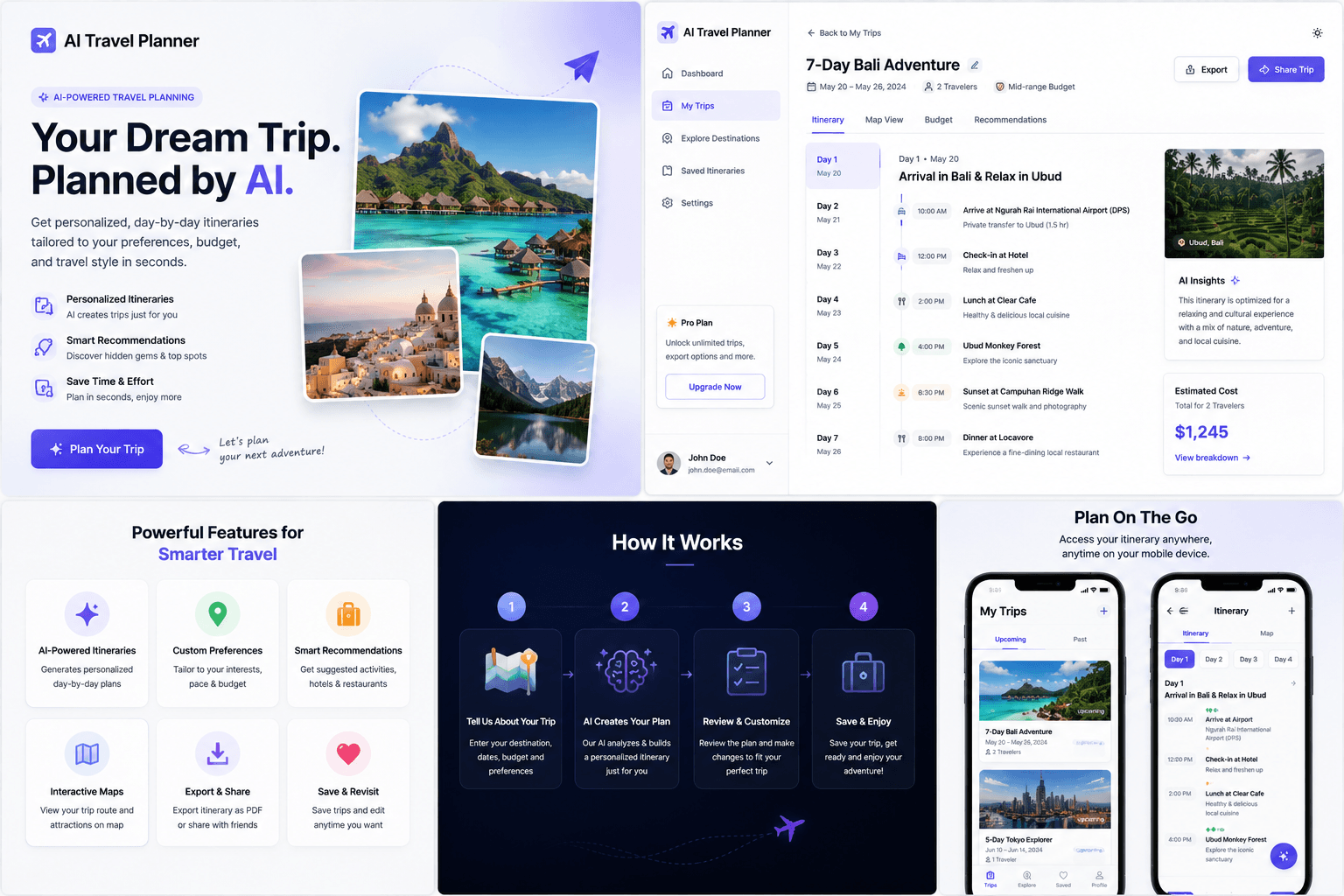
I built the interface with React and used AI workflow to manage the generative AI workflow.
Users provide information about their trip through a simple form. The application sends those preferences to an AI flow powered by Google's Gemini model.
The prompt asks the model to create a structured itinerary containing:
- A daily theme
- Suggested activities
- Approximate times
- Meal recommendations
- Travel notes
- Budget considerations
- Practical tips
The generated plan is displayed as a sequence of daily itinerary cards.
Users can review the result, adjust their preferences, and generate a new plan when needed.
Interesting Challenges
The biggest challenge was balancing detail with realism.
AI can easily generate an impressive list of attractions, but that does not mean the schedule is practical. Activities may be too far apart, opening times may change, and travel time may be underestimated.
I improved the prompt by asking the model to limit daily activities, consider rest periods, group nearby locations, and clearly label suggestions that require verification.
Structured output was also important. The frontend needed predictable day, time, activity, and description fields rather than loosely formatted text.
Budget estimation presented another challenge because prices vary by season, location, and availability. The application therefore treats costs as estimates rather than guarantees.
The Tech Stack
The AI Travel Planner uses:
- React
- TypeScript
- AI workflow
- Google Gemini
- Zod
- React Hook Form
- Tailwind CSS
- Responsive itinerary components
AI workflow provided a clear way to define the prompt, model, input schema, and expected response structure.
Lessons Learned
Generative AI works well for producing a thoughtful first draft, but it should not be treated as a live travel database.
Users still need to verify opening hours, visa requirements, ticket availability, safety information, and current prices.
I also learned that the quality of the generated itinerary depends heavily on the quality of the user's preferences. Asking better questions produces better plans.
The interface should therefore help users express what kind of traveler they are rather than only asking for a destination.
Final Thoughts
The AI Travel Planner turns an open-ended planning task into a faster and more enjoyable starting point.
It does not attempt to replace travel professionals or real-time booking platforms. Instead, it helps users move from “I want to visit somewhere” to a structured plan they can refine.
Future improvements could include maps, saved itineraries, collaborative planning, live attraction data, hotel recommendations, weather information, and exportable PDFs.
The project demonstrated how AI can make complex planning feel lighter while still keeping the user in control.